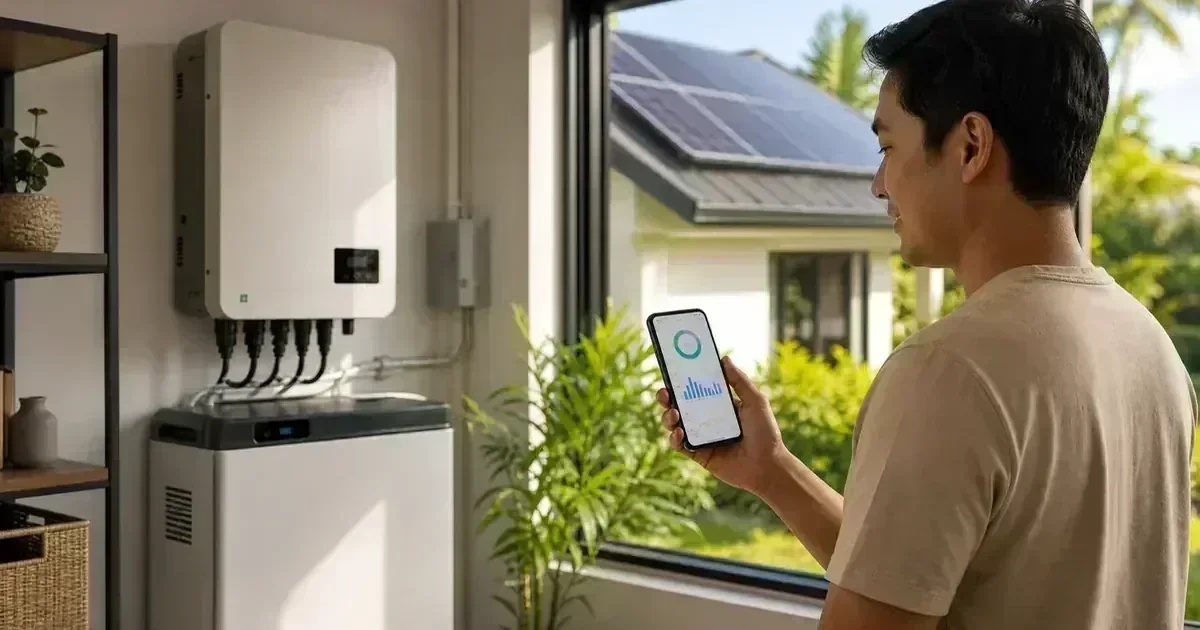
Without monitoring, a gradual production problem can go unnoticed. A dashboard can show whether panels are producing, the home is consuming, the battery is charging, or the grid is supplying the difference. It is a diagnostic aid, not a substitute for a physical inspection. For the next planning step, see solar system maintenance guide.
Learn the basic numbers
Daily yield is the energy produced over a period, usually in kWh. Current power is the instantaneous output, usually in W or kW. State of charge describes the battery estimate. Import and export show the direction of grid energy where the system and utility arrangement support those readings. For the next planning step, see solar installation handover checklist. For a personalized system check, use the CalcSolarPH solar calculator.
Compare like with like
Compare sunny weekdays to similar sunny weekdays, and rainy days to rainy days. A cloud passing over the roof can change current power quickly. Seasonal sun angle, haze, heat, shading, and household behavior also change the pattern. Trends over several days are more useful than a single low point.
Use the load graph to find opportunities
If the app shows energy flow, look for daytime loads that could be shifted from the evening. Laundry, water pumping, charging, and other flexible tasks may use more of your own solar energy. This can improve self-consumption without adding hardware, provided the circuits and appliances are safe to operate at that time.
Treat alarms as clues
Record the exact alarm text, time, weather, battery percentage, and whether the grid was present. Some alarms relate to communication, while others require an electrical professional. Do not repeatedly reset equipment or open covers to clear a message.
Check communications separately
A missing app update does not prove that the solar array stopped working. Wi-Fi changes, internet outages, gateway power, and cloud-service interruptions can create stale data. Ask the installer how to tell a communication problem from an inverter shutdown and how local display data can be checked.
Create a monthly monitoring habit
At the start or end of each month, save a screenshot of production, consumption, battery cycles, and alarms. Note unusual weather or construction that changed shading. These records help with maintenance and warranty discussions because they show when a change began. For the next planning step, see solar panel cleaning and maintenance guide.
Know when to call for help
Escalate persistent production drops, repeated fault codes, unusual smells or heat, damaged cables, water ingress, or unexplained shutdowns. Give the technician your screenshots and notes. Clear evidence shortens the time between diagnosis and repair.
Frequently Asked Questions
What should I check first in a solar monitoring app?
Start with today’s energy flow: solar production, household consumption, battery state of charge, grid import/export, and any active alarms. Then compare similar days rather than reacting to one cloudy afternoon.
Why does the app show less energy than the panel wattage?
Panel wattage is a peak rating under test conditions. Actual output varies with sunlight, heat, orientation, shading, inverter limits, and system losses.
Does zero solar production always mean the system is broken?
Not during nighttime or very low light. During daylight, check the time, weather, inverter status, breakers, communication status, and fault messages before escalating to service.
For a first estimate, use the CalcSolarPH solar calculator, then compare the result with your actual loads and roof conditions. You can also browse the solar products catalog before speaking with an installer.
Illustrative weekly monitoring pattern
Use the shape of the trend, not one isolated day, to investigate performance. Weather, shade, load timing, and grid availability can change the result.
| Day | Illustrative yield |
|---|---|
| Monday | 18 kWh |
| Tuesday | 22 kWh |
| Wednesday | 16 kWh |
| Thursday | 24 kWh |
| Friday | 20 kWh |
| Saturday | 26 kWh |
| Sunday | 23 kWh |
Turn Monitoring Data Into a Local Evidence Record
Save monthly kWh, peak output, battery state of charge, inverter alarms, weather notes, and unusual load events. Compare similar clear-weather days rather than judging one rainy or cloudy day. In a Philippine setting, heat, cloud cover, dust, rain, and typhoon-related shading or shutdowns can explain short-term variation. Monitoring can reveal a pattern; it cannot by itself prove that a live electrical circuit is safe.
Source note: Peso rates and utility requirements change. This is a planning example, not a tariff quote, engineering approval, or promise of savings. Verify the current bill and official utility guidance before purchasing or connecting equipment.
Monitoring Data for Net-Metering and Zero-Export Review
For a grid-interactive Philippine system, keep separate records of PV production, on-site consumption where available, grid import, grid export, battery charge/discharge, and inverter curtailment. These records can help an installer investigate whether the system is operating as designed, but they do not replace the utility meter or official billing record. Above the ordinary 100 kW net-metering ceiling, ask the project engineer whether zero-export or DER controls apply rather than assuming a household net-metering workflow. For the next planning step, see solar warranty records guide.